 Animate Photo AI
Animate Photo AI — AI Photo Animator to Turn Photo into Video
Transform static images into stunning animations in seconds
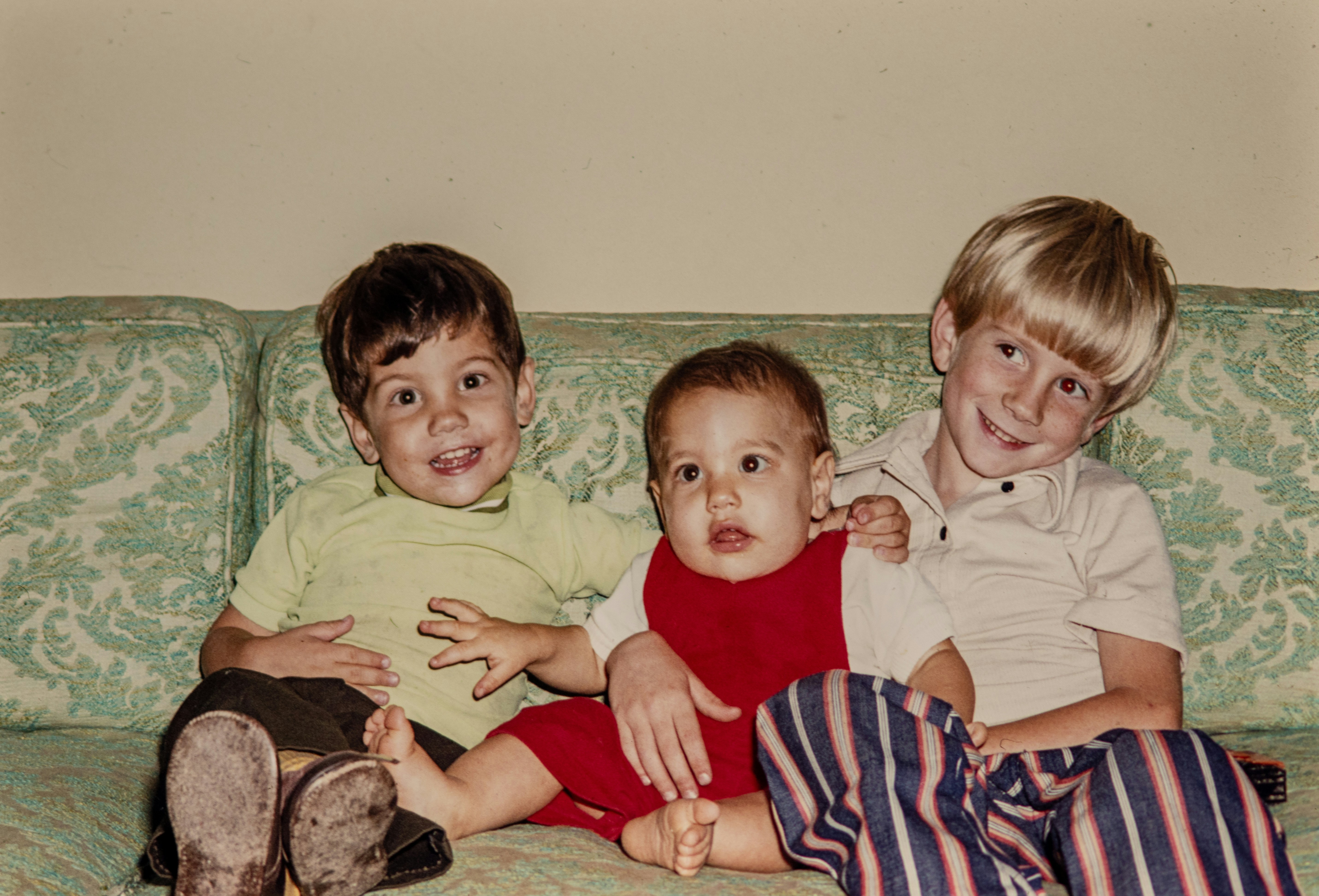
PILLARS
Start from intent—then animate with confidence
Different goals need different defaults. Pick a category to reduce guesswork, then fine-tune motion controls for more predictable AI image to video results.
HOW TO
How to use Animate Photo AI in 3 steps
If you’re searching for an AI photo animator or a way to turn photo into video online, start here. This workflow keeps results predictable and easy to repeat.
- Step 1
Upload a photo
Choose a clear image (portrait, pet, product, or scenery). Cropping and lighting matter more than long prompts.
- Step 2
Pick a motion intent
Select a category and a mode (portrait talk, subtle motion, dance loop). Start subtle to avoid distortions.
- Step 3
Generate, refine, and export
Adjust intensity and camera movement, regenerate if needed, then export a loop-ready clip for social or ads.
- Use a sharp face photo with minimal occlusion for talking portraits.
- For scenery, animate one element (clouds, water, lights) and keep structures stable.
- If it looks uncanny, reduce motion strength first.
SPECS
Specs & limits (quick reference)
A quick reference for export quality, motion strength, and usage guidelines—so your AI image to video results stay stable.
| Item | Details |
|---|---|
| Export quality | Free: standard preview. Pro/Ultra: 4K export and no watermark. |
| Restoration detail | Restoration Lab includes an “8K resolution depth-aware face restore” tag for high-detail portrait restoration demos. |
| Portrait motion strength (suggested) | Start at 1–3 for natural micro-movements; increase only if the face stays stable. |
| Dance/meme motion strength (suggested) | Try 4–6 for rhythm; reduce if edges wobble or backgrounds melt. |
| Privacy & sensitive content | Auto-deletion and content safety filtering are being built—avoid uploading sensitive/private photos for now. |
| Rights & usage | Only upload content you have permission to use (especially minors and sensitive portraits). |
Note: Exact availability and limits can vary by plan, settings, and queue conditions.
PORTRAIT ANIMATION
Deep dive: portraits that feel natural
For portraits, realism is about restraint. Start with the right mode, keep motion subtle, and adjust gradually—this avoids distortions and makes results feel more lifelike.
Choose an intent first (what you want to make), then tune a few high-signal parameters. This is faster than guessing prompts—and it’s easier to repeat.
Subtle usually wins. Increase intensity only if the face stays stable.
Small pans/zooms can add depth—avoid aggressive moves on portraits.
Blink, smile, and micro-movements read as “real” without looking uncanny.


Face Talk
A lip-sync style option for talking portraits—great for announcements, character lines, and creator intros.

Tip: use clear frontal faces and keep motion low-to-medium for believable mouth shapes.
Avatar Animation
Micro-expression and head motion for avatars. Great for product explainers and profile clips.
Tip: consistent lighting and simple backgrounds help keep frames clean.
FEATURES
What you see is what you get
Don’t just list features—show them with interactive AI image to video demos.
Every hidden detail, completed by AI
Powered by deep generative techniques—more than restoration, it’s reconstruction across time.
Give still photos a pulse
Fine-grained control over every micro-expression—memories that no longer stand still.
Everything can move
Waterfalls, clouds, flames—muted loops with soft, breathing edges.
SHOWCASE
Inspiration Library
Browse like Civitai/Midjourney—filter by tags and reuse a style in one click to Turn photo into video faster.
Each tab groups prompts and results so you understand what an AI photo animator can do for that intent.
Quickly judge stability and realism before you try a style on your own photo.
Open any card and hit “Try this style” to turn photo into video with a similar motion look.
TRUST
Trust & Ethics
When working with portraits, clarity and responsibility matter more than hype.
- We follow a “minimum necessary” principle—content is processed only to complete your request.
- Auto-deletion and content safety filtering are being built. For now, avoid uploading sensitive/private photos.
- Only upload content you have permission to use (especially minors and sensitive portraits).
Choose the Perfect Plan for Your Needs
Whether you're an occasional user or a power creator, we have a plan that's right for you. Select the package that best fits your needs and start transforming static images into captivating videos today!
- 300 credits / month
- High-quality output
- Commercial use allowed
- Multiple animation styles
- Watermark-free
- 2000 credits / month
- Highest quality output
- Commercial use allowed
- All premium animation effects
- Watermark-free
- Top priority processing
- Dedicated customer support
- 800 credits / month
- High-quality output
- Commercial use allowed
- All animation effects
- Watermark-free
- Priority processing
One-Time Credit Packs
Not sure if you want to subscribe? Keep exploring with a credit pack
- 200 credits
- High-quality output
- Commercial use allowed
- Multiple animation styles
- Watermark-free
- 1500 credits
- Highest quality output
- Commercial use allowed
- All premium animation effects
- Watermark-free
- Top priority processing
- Dedicated customer support
- 600 credits
- High-quality output
- Commercial use allowed
- All animation effects
- Watermark-free
- Priority processing
FAQ
Quick answers before you hit Generate
- Is Animate Photo AI an AI photo animator?
- Yes. Animate Photo AI is an AI image to video tool designed to Turn photo into video with controllable motion for portraits, pets, and scenes.
- How do I Turn photo into video in seconds?
- Upload a clear photo, choose a category template, set motion strength, and generate. Start subtle first—then increase intensity if needed.
- What’s the best way to use the Live photo creator workflow?
- Pick a portrait mode (blink / expression / talking), keep the face unobstructed, and tune motion gradually for a natural look.
Yes. Animate Photo AI is an AI image to video tool designed to Turn photo into video with controllable motion for portraits, pets, and scenes.
Creator Feedback
What people say after trying photo-to-motion
Nina
Portrait creatorThe “Gentle Blink” motion feels natural—subtle, not uncanny.
Marcus
Family historianThe before/after restoration slider sets expectations instantly. I knew what I’d get.
Aya
Anime artistStarting from gallery prompts saves time. One click gets me into the right style to iterate.
Drew
Meme makerSimple controls, quick loops—perfect for turning a still into something shareable.
Sofia
Product marketerClear pricing anchors and a trust section that avoids overpromising. It builds confidence.
Ken
Creator studioThe category sidebar makes it easy to jump between use-cases and keep the flow consistent.
Lea
Pet ownerAnimating a pet photo is surprisingly delightful—and the UI stays approachable.
Omar
Architectural visualizerScenes need control. Focusing motion on a specific area keeps everything stable.
Iris
PhotographerExpression controls matter—subtle beats dramatic if you want it to feel real.
Jin
Motion designerIntent on the left, parameters on the right—less cognitive load, faster decisions.
Maya
Indie makerInteractive sections let me ‘feel’ the product before signing up. Much better than static screenshots.
Theo
Content creatorFrom prompt to preview, the flow is smooth—great for experimenting with mood and style.
Newsletter
Join the community
Subscribe to our newsletter for the latest news and updates