 BeforeDirection
Faithful repair
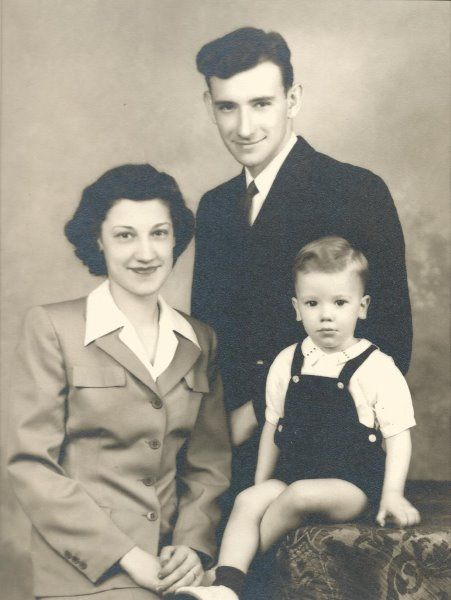
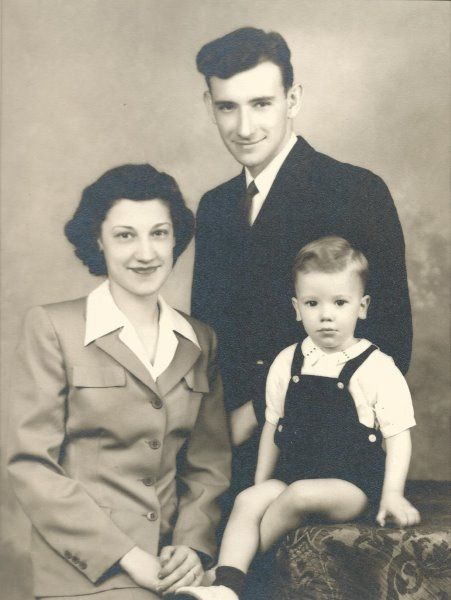
A family portrait worth printing
Start with the original scan, remove surface damage, and keep the clothing, expressions, and period character unchanged.
Old Photo Restoration
What should the restored photo feel like?
Pick a direction. You can edit the prompt next.
Aspect ratio
Quality
Resolution
0 credits available
Edited result
Upload a source and describe one clear change.
Your edited image will appear here after generation.
Upload a source and describe one clear change.
Next steps
Keep restoration, memorial composition, and animation as separate steps so you can review each result before moving on.
Choose the finish
Old photo restoration is not one single look. These sample inputs show how the same repair workflow can stay faithful, feel more modern, or carry a cinematic mood. They are direction previews, not testimonials or guaranteed outputs.
BeforeDirectionFaithful repair
Start with the original scan, remove surface damage, and keep the clothing, expressions, and period character unchanged.
 BeforeDirection
Modern portrait
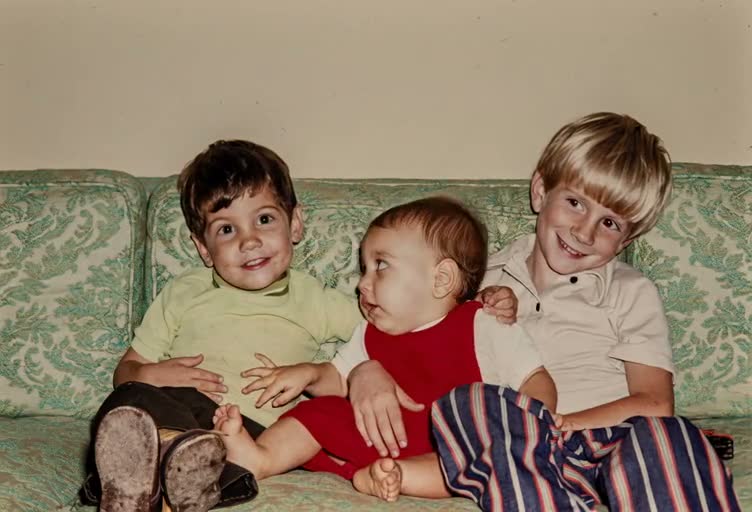
Ask for cleaner facial detail and natural contrast when the restored image will sit beside contemporary family photos.
 BeforeDirection
Hong Kong cinema
Use a restrained amber and teal finish for a tribute, short film, or memory reel after the damage is repaired.
The visible preview demonstrates the intended input and finish direction. Generate your own result in the workbench to compare Original and Edited.
AI photo repair workflow
Use old photo restoration online free to repair a family scan before you archive, print, combine, or animate it.
Old photo restoration online free starts by uploading a JPG, PNG, or WebP scan, keeping the repair instruction focused, and generating a checked result in the workbench above. The workflow targets scratches, dust, tears, stains, fading, and mild blur while asking the restoration to preserve identity, pose, clothing, composition, and the original historical character. Choose faithful repair, a modern portrait, natural color, classic film, Hong Kong cinema, or archive black and white before you generate. You can try the workflow online, but generation requires sign-in and credits; this page does not promise unlimited free output.
Review before you keep it
The workbench keeps the source, result direction, focused instruction, and generated image together. Compare Original and Edited at full size before you download, colorize, or animate the restored photo.
What it repairs
Old photo restoration online free works best when the request names the damage to repair and the details that must remain unchanged. Keep each pass narrow enough to review.
Old photo restoration online free can reduce scratches, dust, small tears, stains, and speckling without redesigning the scene.
Old photo restoration online free can bring back readable tonal separation in washed-out scans while retaining a sepia or black-and-white character.
Old photo restoration online free can request conservative detail recovery when faces are soft; check eyes, mouths, hair, and age cues at full size.
Use an old photo restoration online free result as a stronger starting frame for a memorial composition or a gentle old-photo animation.
How to restore
The safest old photo restoration online free sequence is repair first, inspect second, and animate or compose only after the still image looks right.
Add a JPG, PNG, or WebP scan up to 12 MB. Use the highest-resolution copy you have and avoid screenshots of a preview when the original scan is available.
Start with the prefilled repair prompt. Add one concrete request, such as preserving a handwritten caption or keeping a sepia tone, instead of asking for a completely new image.
Select an aspect ratio and resolution in the workbench. Sign in to see your credit balance, then generate one result before making additional variations.
Toggle Original and Edited to inspect faces, edges, text, and texture. Download the PNG, or send the checked result to Animate Old Photos for a gentle motion pass.
Input guidance
Old photo restoration online free can improve visible damage, but it cannot recover reliable detail from pixels that were never captured. Source quality still sets the ceiling.
Prefer the original scan or a high-resolution camera copy over a compressed screenshot.
Crop out the frame or table only when it does not contain a caption or meaningful edge.
Name one special constraint, such as preserve a handwritten note or keep the sepia tone.
Review text, jewelry, uniforms, hands, and faces because generative edits can redraw them.
Use cases
The output is useful when it has a clear job after repair. Keep the restoration version separate from later creative edits.
Family archive
Use old photo restoration online free to clean a scanned parent or grandparent portrait before adding it to a digital family album. Keep the original scan alongside the generated version.
Memorial keepsake
Use old photo restoration online free on a damaged reference before using Add a Deceased Loved One to Photo to build a respectful composite with a family portrait.
Short memory clip
Use old photo restoration online free to repair scratches and fading before sending the still to Animate Old Photos, so damage is less likely to become moving visual noise.
Limits to check
Old photo restoration online free is a generative interpretation of the source. Keep the original file and label the output when historical accuracy matters.
Missing faces, large blank areas, and unreadable text may be invented rather than recovered.
Small facial, hand, clothing, and background details can drift between attempts.
Colorization is a separate creative decision and is not enabled by the starter prompt.
Only upload photos you have permission to process, and avoid sharing sensitive family images without consent.
| Direction | Best for | What changes | Use it when |
|---|---|---|---|
| Faithful repair | Scratches, dust, fading | Keep the era and tonal character | Family archives and genealogy |
| Modern portrait | Soft faces and low contrast | Cleaner detail and natural light | Albums next to newer photos |
| Natural color | Black-and-white or faded color | Restrained, period-aware color | Keepsakes and family sharing |
| Classic film | Damage plus flat texture | Warm highlights and gentle grain | Album covers and memory reels |
| Hong Kong cinema | Damage plus dull contrast | Moody amber and teal contrast | Tributes and short films |
| Archive black & white | Faded monochrome scans | Crisp monochrome separation | Documents and research |
FAQ
Old photo restoration online free: You can prepare and preview the restoration workflow online, but generating an image requires an account and credits. The page does not claim unlimited free generations. Choose a finish, then check the visible credit estimate before you run a restoration.
The AI restoration workflow is designed for scratches, dust, small tears, faded contrast, stains, and mild softness. It can improve the appearance of a scan, but it cannot reliably reconstruct a completely missing face, unreadable text, or a large area that has no visual evidence.
Any generative edit can change small facial, hand, or clothing details. Use a conservative prompt, compare the result against the source at full size, and make another pass if an important identity detail drifts. Treat the output as a restored creative version, not a guaranteed historical record.
Usually yes when the source has visible scratches, blur, or fading. A cleaner still image gives the animation workflow fewer damaged edges to move. Restore the image first, inspect it, then use the Animate this photo action to continue into the old-photo animation workflow.
Not by default. Faithful repair and archive black-and-white preserve the original tonal character, while Natural color is an explicit separate direction. Keeping both versions lets you compare a restoration-only result with a colorized variation.
Yes. Choose Modern portrait for cleaner present-day clarity, Classic film for warm analog texture, or Hong Kong cinema for restrained amber and teal contrast. The prompt still asks the workflow to preserve faces, clothing, pose, and composition.
Use old photo restoration online free on the original above, keep the instruction focused, and review the result before moving into memorial composition or animation.
Last updated: · Primary topic: old photo restoration online free