Add realistic eye blinking to portraits
Blinking is the fastest way to make a portrait feel alive. With Animate Photo AI, use natural timing and minimal extra motion so the result looks realistic on headshots, avatars, and vintage portraits.
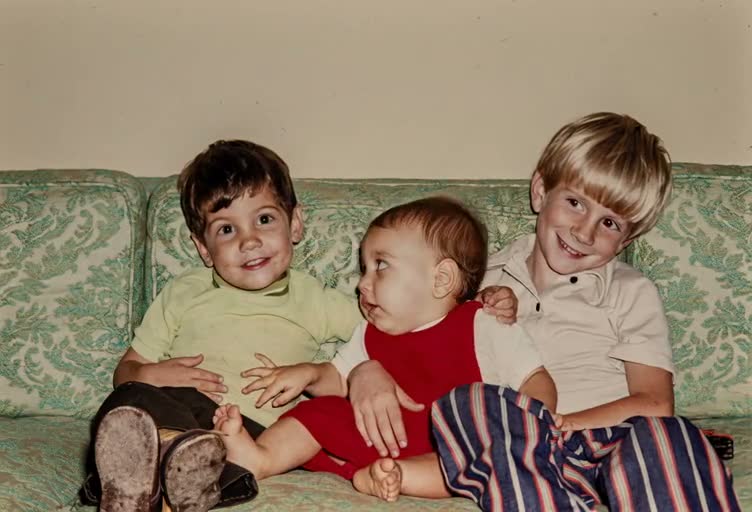
Sample video
A quick preview of the kind of motion you can generate.
TL;DR
Quick answers
Natural blinking is more about timing than intensity.
- Blink timing
- Aim for a slow, irregular blink (about every 3–6 seconds). Avoid rapid, rhythmic blinking.
- Keep eyelids smooth
- If eyelids jitter, restore clarity around the eyes or reduce other motion effects.
- Minimize extra motion
- Blinking alone often looks best. Add micro head motion only if it stays subtle.
- Best photo type
- Front-facing portraits with clear eyes and minimal glare work best for realistic blinking.
GUIDE
Add realistic eye blinking (natural timing matters)
Get lifelike eyelid motion without warping eyes, glasses, or makeup.
Realistic blinking is subtle: eyelids move smoothly, timing varies, and the eyes stay aligned. If you add realistic eye blinking to portraits, start slow and avoid stacking extra motion until the eyes look stable.
In Animate Photo AI, blinking works for almost any portrait—from professional headshots to old family photos—because it adds life without changing identity. The most common mistakes are blinking too fast and adding mouth motion that steals attention.
Trust & responsibility
Animate Photo AI (animatephotoai) emphasizes subtle motion that preserves identity. Only upload portraits you own or have permission to use, and avoid creating misleading “real-life” claims.
Where blinking-only shines
- Profile photos and headshots that feel “too still.”
- Avatars that need a subtle living presence.
- Old portraits where you want realism without big expression changes.
- Glasses portraits where mouth motion is risky.
- Memorial or historical portraits that should stay calm and respectful.
Best practices for lifelike blinking
- Use natural intervals
- Aim for a relaxed blink rhythm and avoid perfectly repeating timing. Slight variation looks more human.
- Keep eyelids clean
- Crop closer if eyes are small, and reduce glare on glasses. Clear eyelid edges reduce distortion.
- Avoid extra motion early
- Start with blinking only, then add micro head motion if needed. Stacking effects increases warp risk.
- Match expression to photo
- A neutral face with natural blinking often looks best. Strong smiles change eyelid shape and can clip.
- Preview at real size
- Eye artifacts are easy to miss when zoomed out. Check the output at full-screen on mobile and desktop.
Common issues and how to fix them
Eyelids clip or jump▾
Lower motion and slow the blink timing. If the photo is low-res, restore/upscale so eyelid edges are clearer.
Pupils drift or misalign▾
Reduce head motion and keep the prompt focused on blinking. Large motion can shift gaze unnaturally.
Glasses glare distorts eyes▾
Use blink-only and keep it slow. Consider restoring the photo to reduce glare before animating.
Blinking looks too fast▾
Increase the interval and avoid “energetic” wording. Calm portraits need calm blinks.
Makeup or lashes look strange▾
Use subtle blinking and avoid big expressions. Strong eyelash edges can shimmer under heavy motion.
Related tools in Animate Photo AI
Cover neighboring intents, learn alternative workflows, and build topical authority with connected use cases.
All photo animation tools
Browse all use cases and pick the best one for your photo.
Make ancestors smile in photos
Add a natural, modest smile without uncanny exaggeration—great for classic portraits and heirloom photos.
Make portrait photos sing or talk
Make portraits talk or sing with safe, non-impersonating prompts—plus lip-sync stability tips.
Animate wedding photos from the past
Bring wedding portraits to life with subtle head motion and blinking—handles veils, reflections, and soft lighting.
HOW TO
How to add realistic eye blinking to portraits
A simple workflow that focuses on eyes first.
- 1Upload a clear portrait
Choose a front-facing photo with sharp eyes. Reduce glare from glasses if possible.
- 2Restore eye detail
Enhance eyelash and eyelid edges gently. Too much blur makes blinking look warped.
- 3Set natural blink timing
Use slow, irregular blinking. Keep motion subtle so the eyelids don’t flicker.
- 4Preview and stabilize
If blinking looks fast or robotic, reduce frequency and remove extra motion effects.
BEST SETTINGS
Best settings & input tips
Use these presets to keep blinking natural and stable.
| Photo input | Recommended effect | Suggested settings | Notes |
|---|---|---|---|
| Clean headshot (no glasses) | Natural blink | Blink every 3–6s; no extra motion | Blink-only is often the most realistic. |
| Portrait with glasses | Slow blink | Blink slower; minimal motion | Glare can distort eyelids—keep it gentle. |
| Low-resolution eyes | Restore → blink | Upscale/clarify eyes first | Sharper eyelids reduce jitter. |
| Strong eye makeup / lashes | Slow blink | Lower motion; preserve edges | High-contrast edges show artifacts more easily. |
EXAMPLES
Example prompts
Prompts that focus on realistic blinking.
Blink-only realism
Add natural blinking with realistic timing; keep head and mouth completely still; preserve the original photo.
Soft eye contact
Create gentle blinking and a calm expression; no exaggerated motion; keep the eyes stable and sharp.
Studio headshot
Make this headshot feel alive with slow, irregular blinking; no smile change; keep lighting and background unchanged.
FAQ
FAQ
Common questions about realistic eye blinking.
FAQ
- What blink rate looks most natural?
- A slow, irregular blink every few seconds. Avoid rapid, repetitive blinking, which looks robotic.
- Why do eyelids jitter or flicker?
- Low-resolution eyes, glare, or too much extra motion can cause instability. Restore eye detail and reduce other motion effects.
- Do I need head motion for realism?
- Not necessarily. Blink-only often looks the most realistic and least risky.
What blink rate looks most natural?▾
A slow, irregular blink every few seconds. Avoid rapid, repetitive blinking, which looks robotic.
Why do eyelids jitter or flicker?▾
Low-resolution eyes, glare, or too much extra motion can cause instability. Restore eye detail and reduce other motion effects.
Do I need head motion for realism?▾
Not necessarily. Blink-only often looks the most realistic and least risky.
Does it work on side-angle portraits?▾
It can, but front-facing eyes are easier. If the angle is strong, keep blinking slower and motion minimal.