Street freestyle from one photo
Bulin 47 AI photo animation
Bulin 47 AI follows the loaded street-freestyle reference with one adult photo. The workbench requests 24 seconds at 9:16 and 480p through Wan 2.2 Animate Replace. There is no second photo and no 720p option. The download does not include the original track.
What does Bulin 47 AI do?
Last updated
Bulin 47 AI takes one adult photo and follows the vertical street-freestyle reference loaded on this page.
Bulin 47 AI requests 24 seconds at 9:16 and 480p through Wan 2.2 Animate Replace. There is no second photo slot.
The result is a new clip. It is not an official release and it does not promise the original audio.
Why follow this reference?
Street freestyle is hard to restage because the footwork and camera bounce are specific. Bulin 47 AI applies that motion to the person in your photo.
Bulin 47 AI requests a 24-second vertical clip from the loaded street reference. Your photo replaces the dancer while the street, timing, and camera stay with that reference.
Use a full or three-quarter body photo when you have one. A tight headshot can still run, but the outfit and stance will be less stable.
Motion reference
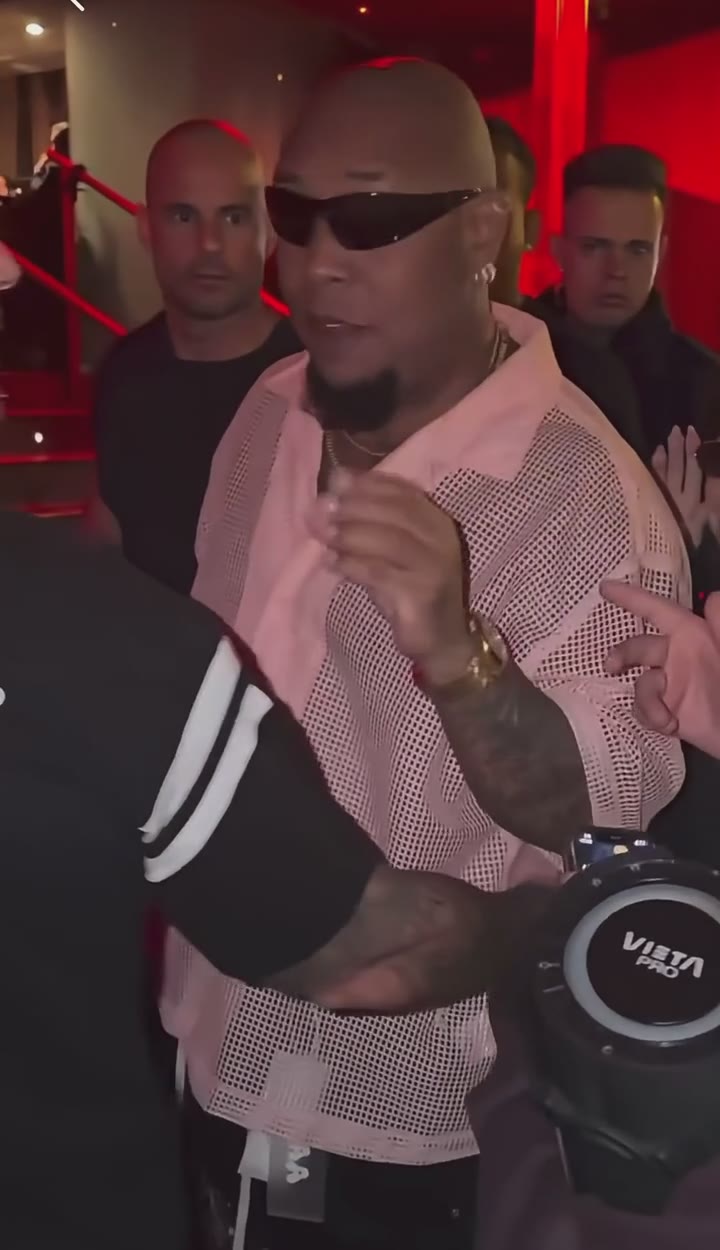
This Bulin 47 AI reference is the clip the workbench follows. It is not your generated result, and it does not include the song.
What does Bulin 47 AI keep?
Built for one dancer
There is a single photo slot. Wan 2.2 Animate Replace is the only model, so the page does not switch into a two-person recast.
The vertical frame stays 9:16
Bulin 47 AI keeps the 9:16 street frame. You do not pick a landscape ratio or a custom length.
480p is the working resolution
The requested run stays at 480p. This page does not offer 720p.
Audio is not part of the promise
Follow the movement for a social cut. Bulin 47 AI does not mix the original track into the download.
How do I run Bulin 47 AI?
- 1. Upload one adult photo. Keep the face and clothing readable. Crop out extra people.
- 2. Review the street reference. Play the clip beside the form so you know which motion the photo will follow.
- 3. Generate the 24-second cut. Bulin 47 AI keeps the resolution at 480p. Credits are calculated for the full reference length.
- 4. Check the feet and edges. Fast footwork is where flicker shows up. Re-run with a sharper full-body photo if the legs break.
Where does this photo animation fit?
A profile portrait
Use a clear creator portrait when Bulin 47 AI should put that person in the street setup.
A costume photo
A readable outfit survives the motion better than a photo where the clothes blend into the background.
A test before a longer edit
Generate this fixed clip with Bulin 47 AI first, then move to a custom video only if you need different choreography.
How does this compare?
Choose Bulin 47 AI when the motion should stay on this loaded reference.
| Workflow | What you supply | What stays fixed | Audio |
|---|---|---|---|
| Bulin 47 AI | One adult photo. There is no second photo. | The reference loaded on this page | Not included |
| Photo to Video | One photo and a motion description | No reference clip | Depends on the model you pick |
| Replace Character | Your photo and a source video you upload | The motion in your video | Set on Replace Character, not by this fixed reference |
| Wan 2.2 Animate Replace | A character image and a driving video | The driving video you choose | Set on that page, not by this fixed reference |
Which settings should I use?
| Choice | Model | Credits |
|---|---|---|
| One photo · 24s · 9:16 · 480p | Wan 2.2 Animate Replace | 490 |
Bulin 47 AI charges the credit totals in this table.
One photo at 480p uses 490 credits.
Charged in credits. See the credit table on this page. Two-photo runs bill the reference length plus the new clip. Opening the workbench does not charge credits.
Use a JPG, PNG, or WebP photo up to 10MB.
Animate Photo AI is not the model provider. One photo uses Wan 2.2 Animate Replace.
Common questions
Why is there only one photo slot?
The street clip is a single-dancer replacement. A second person would need a different reference.
Can I switch to 720p?
No. Bulin 47 AI requests a 24-second clip at 9:16 and 480p. This page does not offer 720p or a shorter trim. Credits are calculated for that full requested length. The street, footwork, and camera stay with the loaded reference.
Does the download include the track?
No. Bulin 47 AI follows the street reference’s motion and does not mix the original track into the file. There is no soundtrack upload on this page. The download is a new silent performance of that street motion. Mouth movement is not timed to a released track.
What does Wan 2.2 Animate Replace do here?
It replaces the visible dancer with your photo and keeps the motion already in the street clip.
Will a group photo work?
Use one person per photo. Extra faces give the model more than one identity to follow.
Is this an official artist tool?
No. It is a photo-animation workflow on Animate Photo AI. It does not claim affiliation with a performer.
Can I use the clip commercially?
You keep the rights to the photos you upload. The User Content section at /terms#user-content says those rights stay with you, and that you grant Animate Photo AI a license only to provide the service. This page does not grant rights to a song, an official video, or another person's likeness.
Related tools
Start with your photo
Run Bulin 47 AI from the workbench above. Opening it does not charge credits.
Back to the workbench