LogoAnimate Photo AI

Turn photos into videos online, simply and effortlessly

TwitterX (Twitter)YouTubeYouTubeEmail
Product
  • Features
  • Pricing
  • FAQ
Tools
  • Image to Video AI Generator
  • AI Logo Animation
  • Photo to Video AI
  • Video frame extractor
  • Sketch to Video AI
  • Raindance AI
  • Bulin 47 AI
  • Burning Bridges AI
  • Cheba Man AI
  • Gas Station Dance AI
  • Smalltown Boy Dance AI
  • Hotel Lobby AI
  • Rumpelstiltskin AI
Company
  • About
  • Contact
  • Waitlist
Legal
  • Cookie Policy
  • Privacy Policy
  • Terms of Service

Earned Badges

All in AI ToolsDofollow.ToolsMossAI ToolsAIExtensionDeepLaunchShowMeBest AIZ-ImageAIBestTopStartupFastListed on Turbo0Twelve ToolsLovableAppFazierFeatured on Open-Launch600.toolsFeatured on toolfame.comNavFoldersNext LaunchFeatured on Findly.toolsBai.toolsToolsClaw
© 2026 Animate Photo AI All Rights Reserved.
Animate Photo AI
HomeHistory
Text to VideoImage to VideoVideo to VideoReference to Video
Image StitchAI Image CombinerAI Photo EditorGempix2
Replace CharacterWan 2.2 AnimateWan Replace CharacterAnimate Old PhotosPhoto to Video AITalking Photo AI
Singing Photo AIAI Dance GeneratorAdd a Loved OneVirtual Ring Try OnOld Photo Restoration
Photo to GIFGIF Speed ChangerLive Photo to GIFGIF Upscaler
Raindance AIBulin 47 AIBurning Bridges AICheba Man AIGas Station Dance AISmalltown Boy Dance AIHotel Lobby AIRumpelstiltskin AI
UpgradeUnlock faster generation and more credits
Animate Photo AI
Photo to videoReplace characterPricing
Animate Photo AI
  1. Home
  2. ›
  3. Singing Photo

Last updated: November 17, 2026

Singing Photo: Make Any Photo Sing with AI

A singing photo is a short AI video made from one still portrait and a song: the AI maps the vocal track to mouth shapes and animates the lips, jaw, and eyes so the person appears to sing. Upload a picture, pick a song, and download the lip-sync video.

Model

InfiniteTalkPhoto + song to lip-sync videoAudio

Photo

Song

Resolution

480P: songs up to 15 seconds. 720P and 1080P: up to 5 minutes.

Up to 15 s · first one free after sign-up

Upbeat pop, front-facing portrait

What Is a Singing Photo?

A singing photo, sometimes called image singing, is a short video made from one still picture and an audio track. The AI finds the face, listens to the vocal line, and moves the lips, jaw, cheeks, and eyes so the person appears to sing the song. A good result keeps the identity, hair, clothing, and background of the original and only animates the face.

Singing photo AI works by matching sounds to mouth shapes: open vowels widen the mouth, consonants close it, and held notes keep it steady. That is why clear vocals over a light backing track tend to sync better than a dense mix, and why a front-facing portrait beats a side profile.

People use it for birthday greetings, music memes, family keepsakes, fan edits, and quick tests before producing a full music video. Because the input is a single image, expect a head-and-shoulders performance rather than full-body choreography.

How to Make a Photo Sing in 3 Steps

You can make a photo sing from the panel at the top of this page, on desktop or mobile. Whether you call it photo singing or just want to make photo sing for a quick joke, the flow is the same three steps.

  1. Step 1

    Upload a clear, front-facing portrait

    Use a JPG, PNG, or WEBP photo up to 4MB with one face, eyes open, and an unobstructed mouth. You can also start from one of the sample photos in the panel.

  2. Step 2

    Pick a song or upload audio

    Upload an MP3, WAV, M4A, AAC, or OGG file, or record yourself singing straight from the microphone. 480P handles songs up to 15 seconds; 720P and 1080P handle up to 5 minutes.

  3. Step 3

    Generate and download

    Choose 480P, 720P, or 1080P and press Generate. Rendering usually takes a few minutes. Compare the mouth and eyes with the original photo, then download the MP4.

Singing photo limits and cost by resolution

Photos: JPG, PNG, or WEBP, up to 4MB. Songs: MP3, WAV, M4A, AAC, or OGG, or a microphone recording. Every account gets its first 480P singing photo free; after that, credits depend on song length and resolution. Output is an MP4 file.

ResolutionAI modelLongest songAudio file limit15-second song60-second song
480PInfiniteTalk15 seconds10MBFree the first time, then 170 creditsNot supported (max 15 seconds)
720PKling AI Avatar 2.0 Standard5 minutes50MB515 credits2005 credits
1080PKling AI Avatar 2.0 Pro5 minutes50MB1010 credits3990 credits

Singing Photo Examples

Different songs suit different photos. These examples cover solo portraits, a duet, a painting, and a vintage family photo.

  • Upbeat pop, front-facing portrait

    Input: one centered, front-facing portrait. Song: a 15-second pop chorus at 480P.

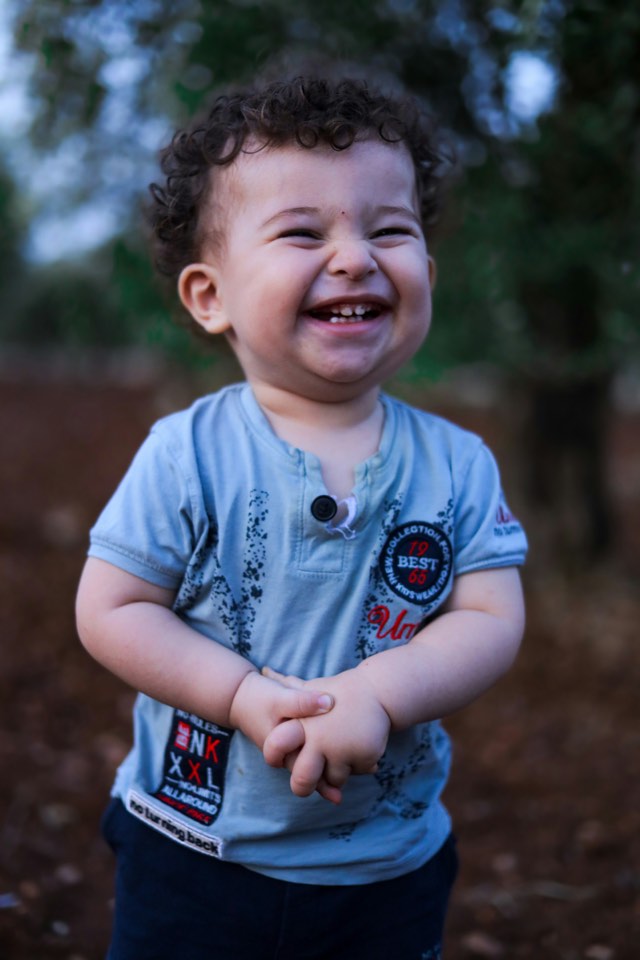
  • AI singing photo of a toddler singing a birthday song

    Birthday song, smiling child close-up

    Input: a close-up with a large, well-lit face. Song: one "Happy birthday to you" line.

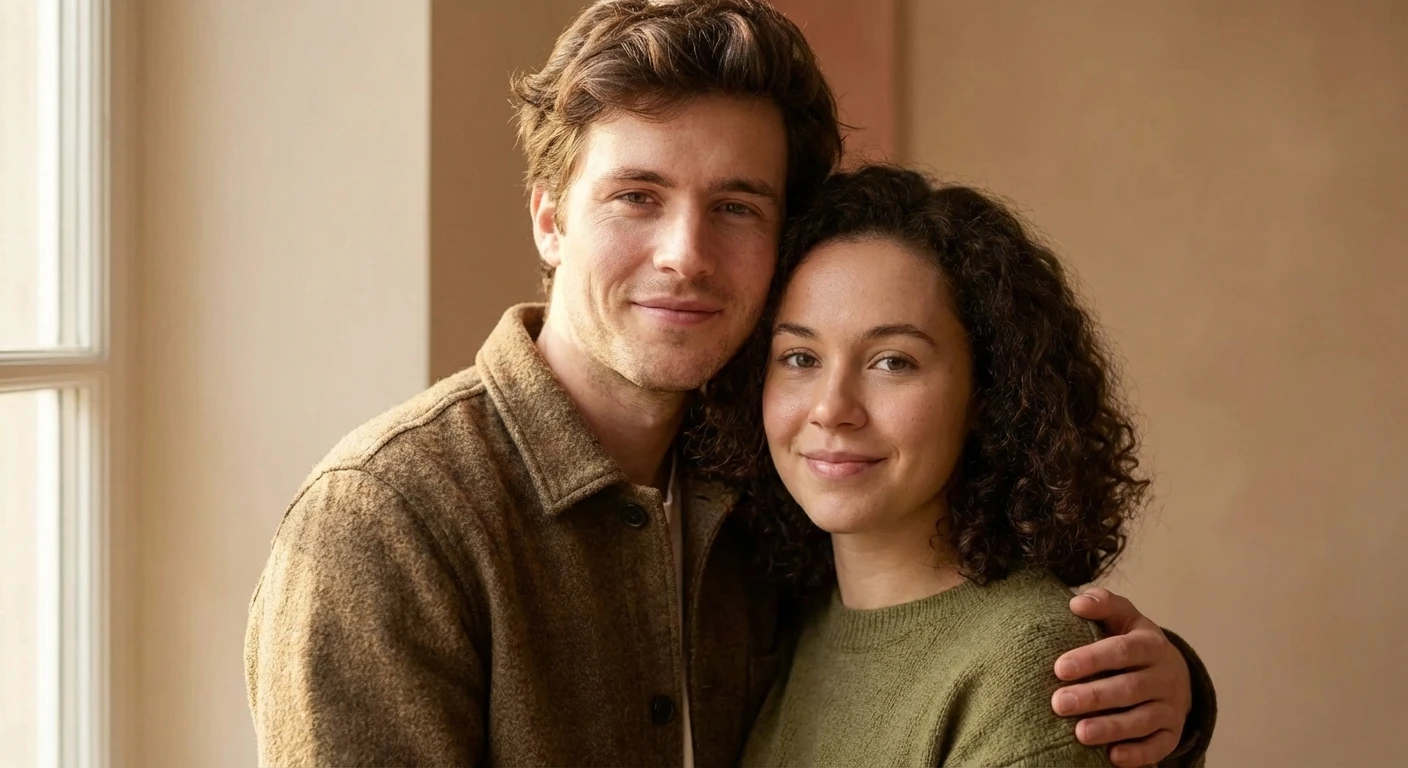
  • AI singing photo of a couple singing a love song duet

    Love-song duet, two-person photo

    Input: two faces in one frame. Both mouths follow the same vocal, so crop per singer for a true duet.

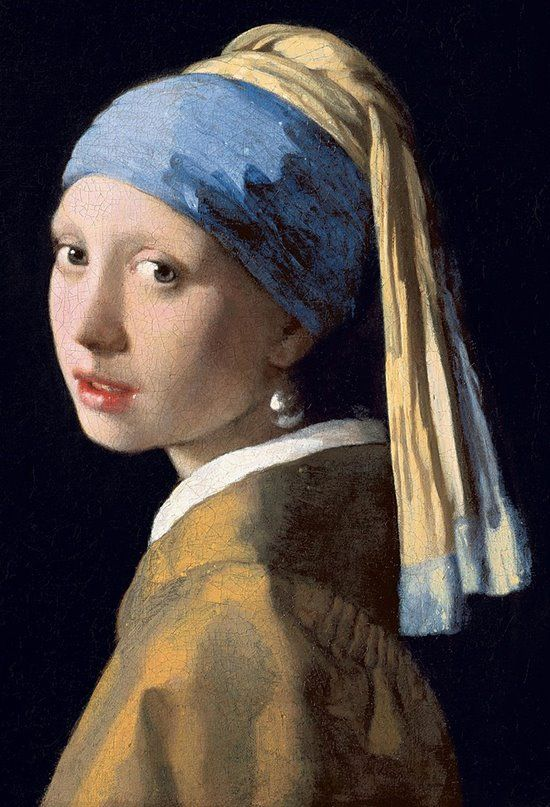
  • AI singing photo of a classic painted portrait singing opera

    Opera aria, classic painting

    Input: a painted portrait with a visible mouth. Song: a short held-note phrase at 720P.

  • Soft lullaby, vintage family group photo

    Input: a scanned group photo. Crop to one face first; small faces drift in group shots.

Best Songs and Photo Tips for Your Singing Picture

A convincing singing picture depends on both the photo and the song. To make picture sing without warping the face, the model needs a clear view of the mouth and a vocal it can follow.

Photo checklist

  • Face the camera, or turn no more than a few degrees. Side profiles hide half the mouth.
  • Use even, soft light. Hard shadows across the lips read as mouth shapes and cause flicker.
  • Keep the mouth clear of hands, microphones, hair, and masks.
  • Crop so the face fills a large part of the frame. Tiny faces in a group shot drift first.
  • A closed or relaxed mouth is a better starting point than a wide laugh.

Song checklist

  • Pick the chorus or hook. A short, recognizable section reads better than a full verse.
  • Choose songs with clear lead vocals. Heavy effects, stacked harmonies, and loud drums blur the mouth shapes.
  • Birthday songs, lullabies, ballads, and pop hooks suit a head-and-shoulders clip better than fast rap verses.
  • Only use songs you have the rights to, and only animate faces you have consent for.
  • Want body movement instead of a close-up? Use photo to video with a motion prompt.

Singing Photo vs Talking Photo: What's the Difference

Both start from one portrait and end with a mouth that moves to sound. The difference is the input and the performance.

CompareSinging photoTalking photo
InputOne portrait plus a song file or a sung recordingOne portrait plus a short typed line
What drives the mouthThe vocal track: melody, rhythm, and held notesA spoken script voiced by the model
Best forBirthday songs, music memes, fan edits, playful clipsGreetings, announcements, presenter and avatar lines
Not ideal forLong speeches or calm presenter deliveryFollowing a real song melody

If your clip is a spoken message rather than a song, use the talking photo tool.

FAQ

How do I make my photo sing a song?

To make my photo sing, upload one clear portrait in the panel at the top of this page, pick a song or record your own voice, and press Generate. The AI maps the vocal track to mouth shapes and animates the lips, jaw, and eyes to match, then gives you a video you can download.

Is there a free app to make pictures sing?

Yes. This singing photo maker runs in your web browser, so there is no app to install on iPhone, Android, Mac, or Windows. Create a free account and your first 480P singing photo, with a song up to 15 seconds, is free. Longer or HD videos use credits.

Can I make a photo sing online for free?

Yes, once. Sign up, upload a photo, pick a song up to 15 seconds, and generate your first photo to singing video at 480P for free. After that, each video uses credits based on its length and resolution, and the panel shows the cost before you generate.

What's the best AI singing photo generator?

The best singing photo generator is the one that keeps your face recognizable while following the song closely. Look for audio upload, a stable identity, accurate mouth shapes on held notes, and a preview before download. Test any AI singing photo tool with the same portrait and the same chorus to compare fairly.

Can I upload my own song or record my voice?

Yes. Use the Upload Audio tab for an MP3, WAV, M4A, AAC, or OGG file, or switch to Record Audio and sing into your microphone. Only use songs you have the rights to, and only animate photos of people who have agreed to it.

Does it work with group photos, pets, or paintings?

Paintings and illustrations work well when the mouth is clearly visible. Group photos are harder because small faces drift, so crop to one person first. Pets do not have human mouth shapes, so a pet singing clip will look more playful than precise.

How do I turn a photo into a singing video for social media?

To turn photo into singing video for TikTok, Reels, or Shorts, use a vertical portrait, pick the hook of the song rather than the whole track, and generate at 1080P. Keep the face centered so platform captions and buttons do not cover the mouth.

Prefer a silent loop to share in chat? Turn your frames into a looping clip with photo to GIF. Plans and credits are listed on the pricing page.